| Easy-Recruiter v2.x |
 Viewing Users Viewing Users
|
To View Users:
- Launch Easy-Recruiter and Login as a System Administrator User.
- Select the Settings Icon from the Task Bar.
- Use the System Control Panel in he lower portion of this pane.
- Click on the User Tab on this control panel.
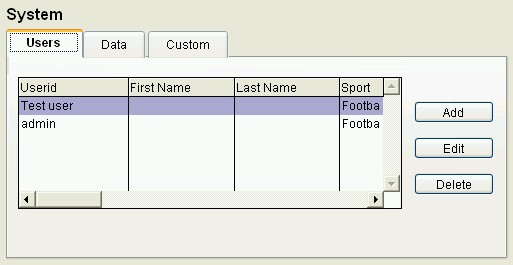
- View the list of users by moving the scroll bar.
- Click on the header above any column in the list to change the sort order for displayed information.
- Use the Add, Edit, and Delete buttons to maintain the list of users and various settings for each person.
See also: