After you Add a New Game to Easy-Scout, you can change the name of that game by using the Utilities Menu and selecting the Game Name option to display the form shown below.
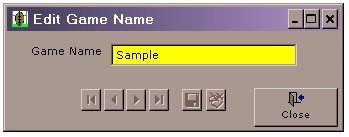
Use this form to change the name of a previously recorded game. Use the VCR buttons on the lower right to select the game name you wish to change. Then change the value shown in he Game Name text box and click the Save button.