Easy-Scout XP allows users of previous versions of this application to retrieve game information entered under Self Scout, EZ Scout, or EZD Scout. Use the Utilities Menu and select the Import Legacy Games option to display the form shown below.
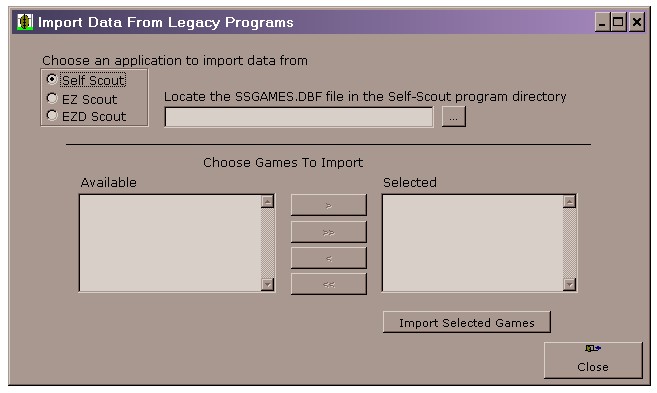
To import data from a previous version of Easy-Scout, Easy-D-Scout or Self-Scout, use the Radio Button in the upper left portion of this screen to specify the program that created the data you want to import. Then use the ellipses (...) button to locate the EZGAMES.DBF, EZDGAMES.DBF or SSGAMES.DBF file respectively that was created by the previous application. You can use the Mover List on the lower portion of this form to select which games you wish to import into Easy-Scout XP. Click Import Selected Games to start the import process.
See also Edit Existing Game, and View an Existing Game.