Easy-Recruiter enables you to customize what information is managed on the Athlete Pane for a particular sport. Custom sport information can be defined for Positions (Sport Tab), in addition to fields for Statistics and Other details.
To Customize Sport Information:
- Access the Settings Pane from the Task Bar.
- Use the System Control Panel on the lower portion of this pane.
- Select the Custom Tab on this control panel to display the screen shown below.
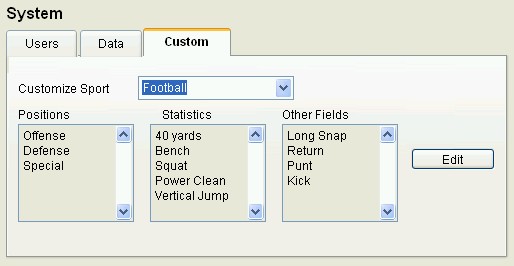
- Click the Edit button to change pre-defined settings for the selected Sport on this tab.
- Add/Edit the custom field names for this sport by listing one item per line under the proper catagory (positions, statistics , or other). Use Enter key on keyboard to separate.
- Click the Save button on the Toolbar at the top of the Customize Sport dialog box to record your changes.
- Use the other toolbar buttons on this dialog box to make changes to other sports, or close and return to the Settings Pane.
See also:
 Customizing Sport Information