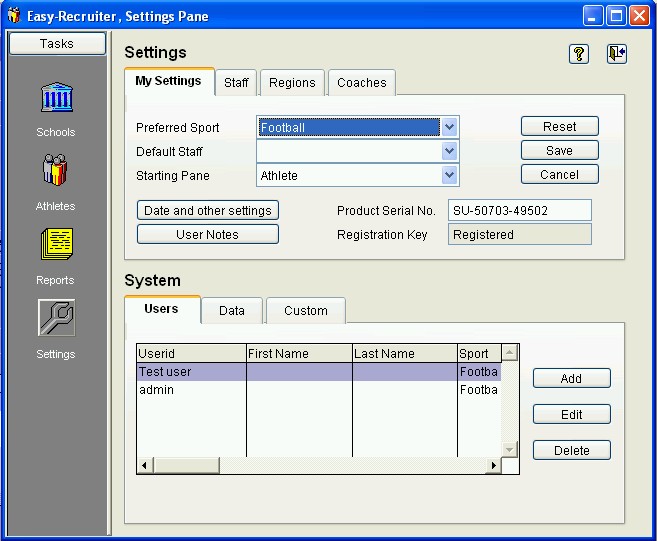
The Settings Pane is a task area of Easy-Recruiter accessed by the

icon on the
Task Bar.
This pane is a single window with two control panels. The
Settings Control Panel is the upper portion of the screen. This area allows you to maintain
My Settings and the
Staff List for the athletic recruiters in your department, Regions to classify high schools, and the
HS Coaches List.
The
System Control Panel is in the lower portion of this pane and is only available for
System Administrator Users. This area allows you to maintain Users or personnel who need a login account to use Easy-Recruiter,
Advanced Data Settings, other
Advanced Features, and
Customized Sport Details.
See also:
 Settings Pane