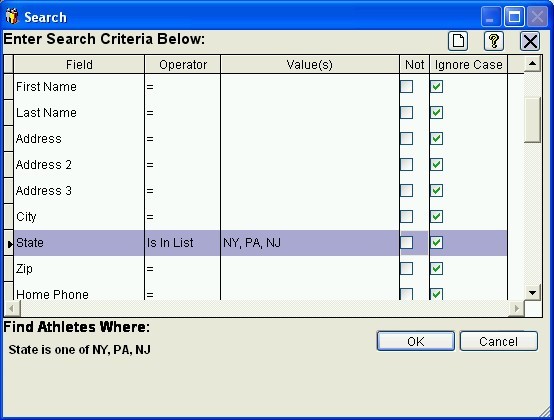
Easy-Recruiter's integrated search features are available by use of the "Search" buttons on the Athlete Pane, Schools Pane, and Reports Pane. The search buttons allow users to perform an Athlete Search or Schools Search by specifying criteria for one or more fields in a screen like the one shown below. Use the "OK" button after selecting fields and specifying desired values to run a search process.
Once run, a successful search will limit the records that are displayed on the screen, slightly change the color of the grid where records are listed, and enable the "Reset search" button for redisplaying all records again. You can also optionally use a successful search to limit the records listed in reports and included in export files. An unsuccessful search will prompt the user with a message that no records were found, then redisplay the entire list of athlete or school records if necessary.
A successful athlete or school search can also be combined with a basic report and easily reused later by Saving a Custom Reports.